
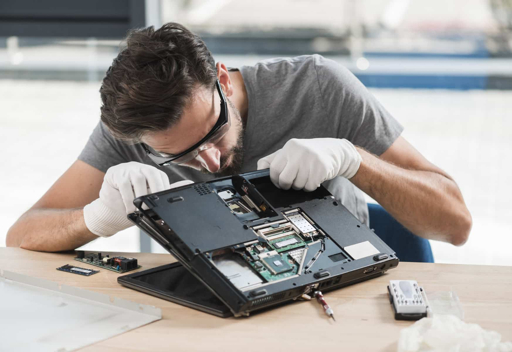
5 Best Laptop Repair Services in Bath – Get back to work fast
When a laptop fails, restoring access to work and repairing the machine are related but separate jobs. Choose laptop repair services in Bath by the fault, data priorities and attendance method, not simply the earliest advertised slot. These five providers publish local services. Their numbering is not a tested ranking, and an initial diagnostic appointment should not be confused with a confirmed completion time.
Keep general browsing through Dig Deep Content articles outside your troubleshooting record. Write down the symptom and the last time the laptop worked normally.
1. Computech Bath
Computech Bath publishes a Clarence Street address and advertises Windows laptop and MacBook repairs. Its laptop page lists screen, battery, charging, hardware and operating-system problems, with software diagnostics also available. That is a relevant enquiry when you need the fault identified before deciding whether parts are required.
Say your laptop starts but becomes unusably slow after signing in. Describe that behaviour rather than requesting a replacement component yourself. Ask what diagnosis includes and whether any proposed operating-system work would affect your files, applications or settings.
2. Bath Computer Services
Bath Computer Services advertises home visits for laptop and computer repairs. Its service information says a machine may be taken away if the fault cannot be resolved on site, with collection and return arrangements available. It also lists fixed-rate, hourly and package pricing approaches.
Ask which charging method applies to your enquiry and when an on-site visit becomes workshop work. A home appointment can be convenient, but you still need a clear authorisation point. Confirm how the laptop is recorded at collection and how you receive progress updates.
3. Cosmic Computers
Cosmic Computers advertises PC and Mac repairs, hardware and software support, remote assistance and appointment-based drop-off in Bathampton. Its wider work includes networking, printers and internet problems. That makes it useful when the apparent laptop fault may involve the surrounding setup.
Explain whether the issue occurs everywhere or only at your Bath home or office. A laptop that connects normally elsewhere presents a different enquiry from one that cannot connect at all. Ask which access method is appropriate before booking remote support or transporting the machine.
4. Hancocks of Bath
Hancocks of Bath publishes an Odd Down repair-shop address on Upper Bloomfield Road and asks customers to arrange drop-off. Its computer services include laptop and desktop fault-finding, upgrades, data recovery and Wi-Fi problems, alongside other electronic repair work.
For an intermittent fault, bring a short description of when it happens and which accessories are connected. Ask whether the charger or another peripheral is needed for testing. The machine alone may not reproduce the setup in which the problem occurs, so explain the circumstances before handing it over.
5. Computer Repair Man, Bath
Computer Repair Man advertises in-home Bath repairs including screens, keyboards, batteries, charging problems and backup advice. Its local page also lists Apple computer support and no-fix-no-fee terms. That makes it a possible enquiry for someone who wants an attendance-based service rather than a shop visit.
Confirm the technician’s coverage and the actual fee conditions for your job. Ask how parts, diagnostic time and a decision not to proceed are treated. A pricing slogan is only useful once you understand which outcomes it covers and which costs remain payable.
Give laptop repair services in Bath a work-continuity brief
List the applications and files you need urgently. For a hypothetical freelance designer, replacing a keyboard and preserving specialist software are not equally important decisions: both affect work, but a reinstall may create a second interruption. Explain what must be retained before approving any reset or rebuild.
An item at Open Topic Vault features cannot establish whether your backup is current. Check any existing copy from another device where practical, and tell the technician what is missing. Treat the repair as two checklists in one conversation: the machine’s fault and the work you need to recover.
Coverage through Unfold Every Story articles does not prove that a replacement part is available. Ask for a diagnosis, the proposed part and an estimate tied to supply. If the deadline matters more than keeping the original laptop, discuss temporary access or migration separately rather than demanding an unsupported same-day promise.
General material on Share Your Words updates is not permission to access an employer’s device. If the laptop belongs to your workplace, contact its IT team before arranging outside repair. Agree data access and authorisation with the responsible owner, and keep any repair quotation with that approval.
FAQs
Should I bring the charger?
Ask the provider. Charging and intermittent power faults may require the original charger or accessories to reproduce the problem.
Does repair mean my files are guaranteed safe?
No guarantee should be assumed. Request the proposed data-handling approach and tell the technician before authorising work if the files are irreplaceable.
When is replacement worth considering?
Compare the diagnosed repair cost, machine condition and work requirements. Ask what the repair will and will not resolve rather than relying on age alone.
What belongs in the collection check?
Review the reported fault, agreed tests and any replaced parts or software changes. Confirm that required files and applications remain accessible before closing the job.
Approve the repair with your work in mind
Send two Bath providers the same symptoms, model and data priorities. Compare the diagnostic process and likely interruption as well as cost. Authorise changes explicitly, especially reinstallations, and agree what successful handover looks like for the work you need to resume.